
AI environment art prompt: an orbital seed library
By Mazee.ai. Existing AI-generated example.
Build a widescreen seed archive around one circular window and an illuminated specimen case. Compare the original Seedream prompt with its generated scene.
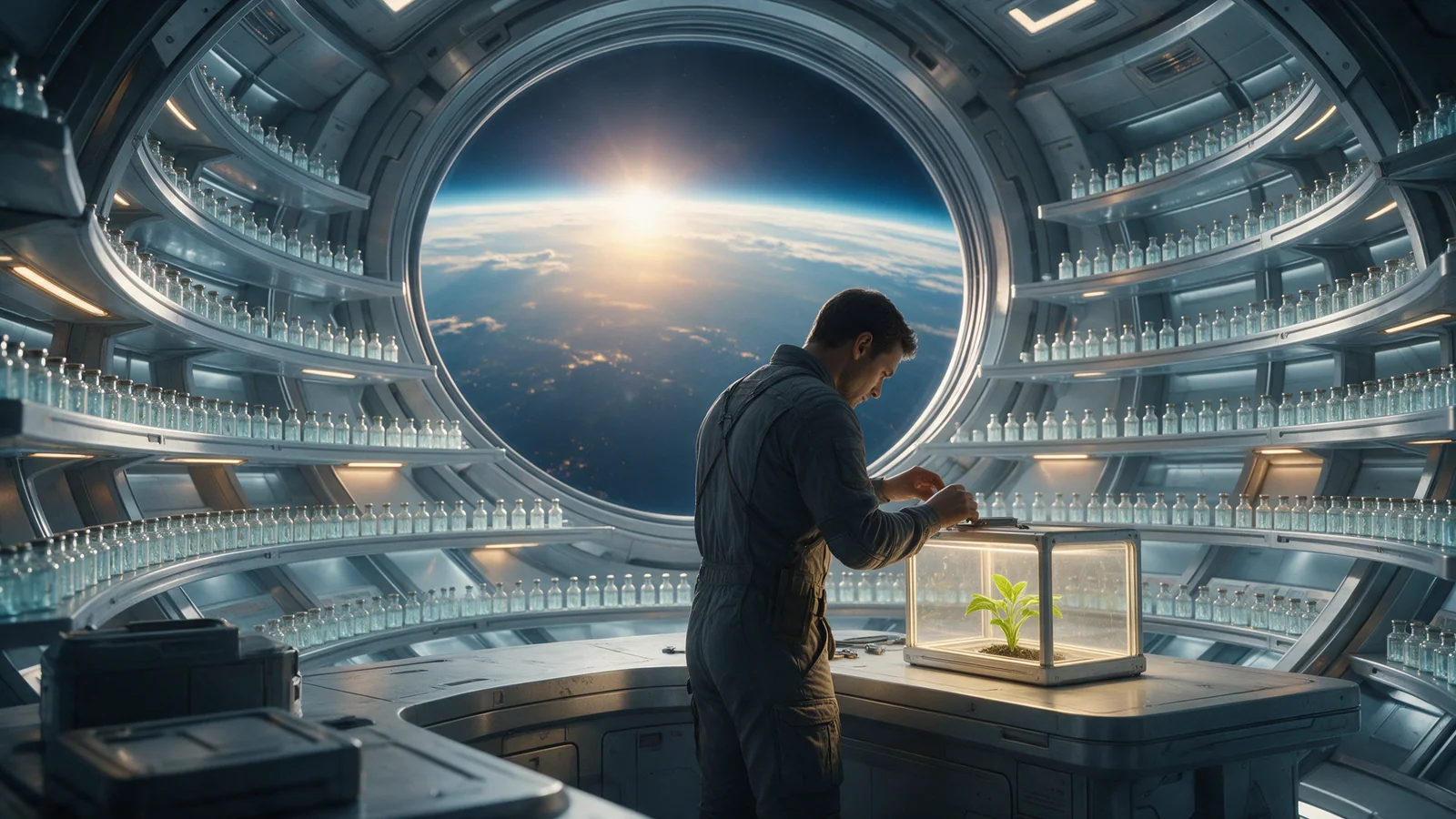
Use this fictional environment to study how repeated curves establish a room and a small illuminated subject gives it a focal point.
Reading the prompt against the image
Concentric shelves of small glass seed capsules
The glass shelves repeat in arcs at both edges of the frame. Their curves lead back to the round window and give the room a readable depth.
one vivid green seedling
The bright specimen case sits beside the botanist’s hands. The small green plant gives the viewer something specific to look for among the rows of capsules.
Original prompt
- Original model
- Seedream 5.0 Pro
- Original resolution
- 2K
- Original ratio
- 16:9
Cinematic original orbital seed-library interior. Concentric shelves of small glass seed capsules curve around a huge circular window showing Earth's dawn line. One adult botanist in a charcoal utility suit carefully repairs a single illuminated specimen case at a waist-high bench. Pale glass, brushed aluminum and one vivid green seedling, detailed but orderly set design, gentle warm work light against cold orbital blue. Believable hands and shelf perspective. No readable labels, logos or watermark.Use it in your own project
- Open the original template below and review its prompt and preset. The image is an existing result; previewing it does not start a new generation.
- In the studio, check current model availability, settings and estimated credits. The original preset is a production record, not a promise that it is available to your account.
- Choose one thing to change before deciding whether to generate. If the connection drops after submission, check History and the original task before trying again.
Check the result before using it
- At a small size, check whether the botanist and illuminated specimen case remain distinct from the repeated shelves.
- Inspect hands, capsule edges and repeated structures at full size before using the image in a presentation.
- The scene is concept art. The plant and archive arrangement do not establish scientific accuracy or a buildable design.